Mum's not bad at tech.She's new at it.
You've shown her before, and she got it. Then the button moved, and the thing that worked yesterday doesn't. It happens to everyone.
$99 a year or $9.99 a month.
"How do I send a photo to the family group?"
- Open Photos and tap the picture you want to send.
- Tap the small square with an arrow coming out of the top. It's in the bottom left corner.
- Tap the name of your family group in the row of names.
- Tap the blue arrow to send it. That's it — it's on its way.
Not sure which button? Ask again. Oskoole will walk you through it as many times as you like.
Yesterday's steps stop working, and nobody warns you
You grew up with this stuff. She didn't — she's learning it from scratch, without a couple of decades of muscle memory to fall back on. So when an app updates overnight and moves a button two centimetres to the left, you barely notice. She loses the whole task.
Nobody remembers a process they use twice a year. What she needs isn't one more demonstration. It's somewhere to go for the second time, and the third, and the fifth — without feeling like she's using up someone's afternoon.
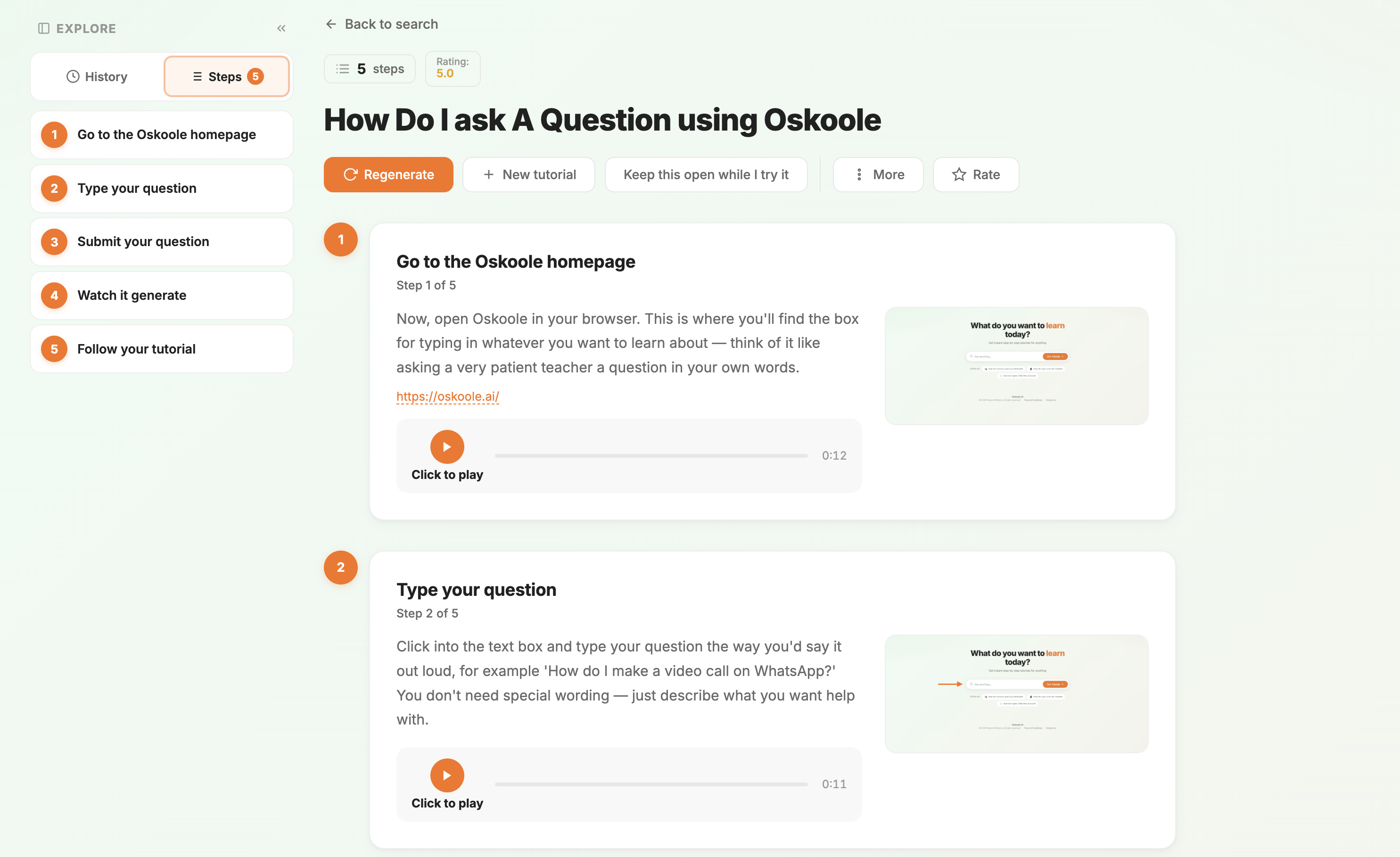
One subscription, two things she'll use
Answers when she's stuck, and something to come back to on the days she isn't.
Answers, step by step
She asks a question in her own words and gets numbered steps, written for someone who hasn't done it before.
- Plain English, no jargon, no assumed knowledge
- 76 languages, including the one she thinks in
- Any hour, and she can ask the same thing as often as she likes
Brain Skoole, included
Fun daily brain exercises that keep her mind active — memory, speed and attention, with a streak worth keeping.
- A few minutes a day, at her own pace
- The app gets familiar, so it's easy to use when she is stuck
- Included in every plan, not an add-on
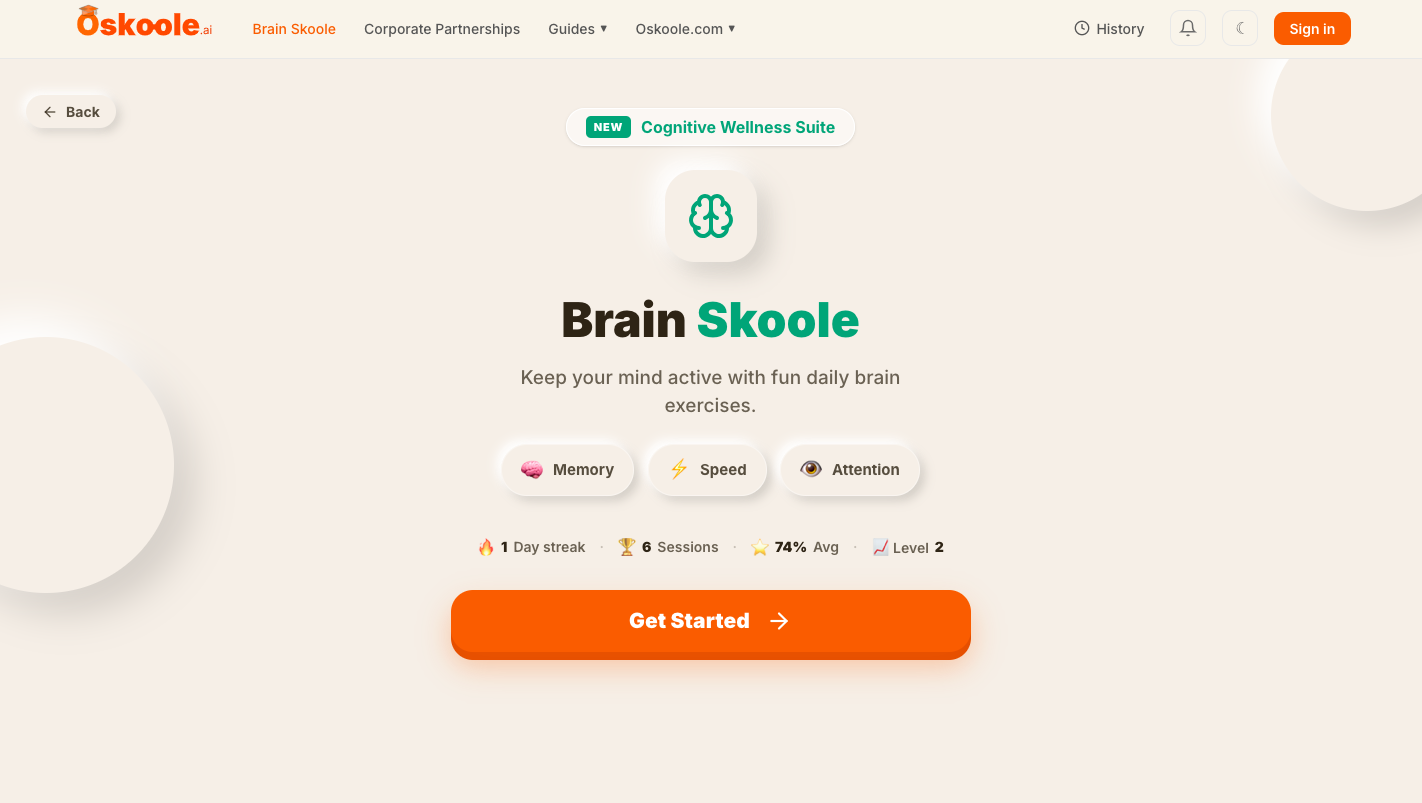
Both are in every plan. The tech help is there when something goes wrong; Brain Skoole is the reason she opens it when nothing has.
"He wasn't struggling with technology. He was struggling with having to ask."
Oskoole started with a family member who saved his questions up, so he wouldn't be a nuisance. Most of them never got asked. We built the thing he could ask instead.
Setting it up takes about five minutes
You can do the whole thing yourself, from where you're sitting. You don't need her phone, and she doesn't need an email address.
- Choose a plan and make her a username and password. That's her login. No email or verification codes for her to deal with.
- Pay by card. Receipts and renewal reminders come to you, not her.
- Write her login on a card and give it to her. Then tell her to ask it the next thing she gets stuck on.
No rush. No jargon. No judgement.
You're still her first call
Oskoole is for everything in between — the small stuck moments that aren't worth a phone call. Choose how you'd like to pay.
Yearly
$99a year
Works out to $1.90 a week.
Save $20.88 compared with paying monthly — about two months free.
Monthly
$9.99a month
Cancel any time.
Both plans include everything — step-by-step tech help in 76 languages, any time of day, and Brain Skoole, our Cognitive Wellness Suite. The only difference is how often you pay.
Prices in Australian dollars, including GST. Secure card payment through Stripe.